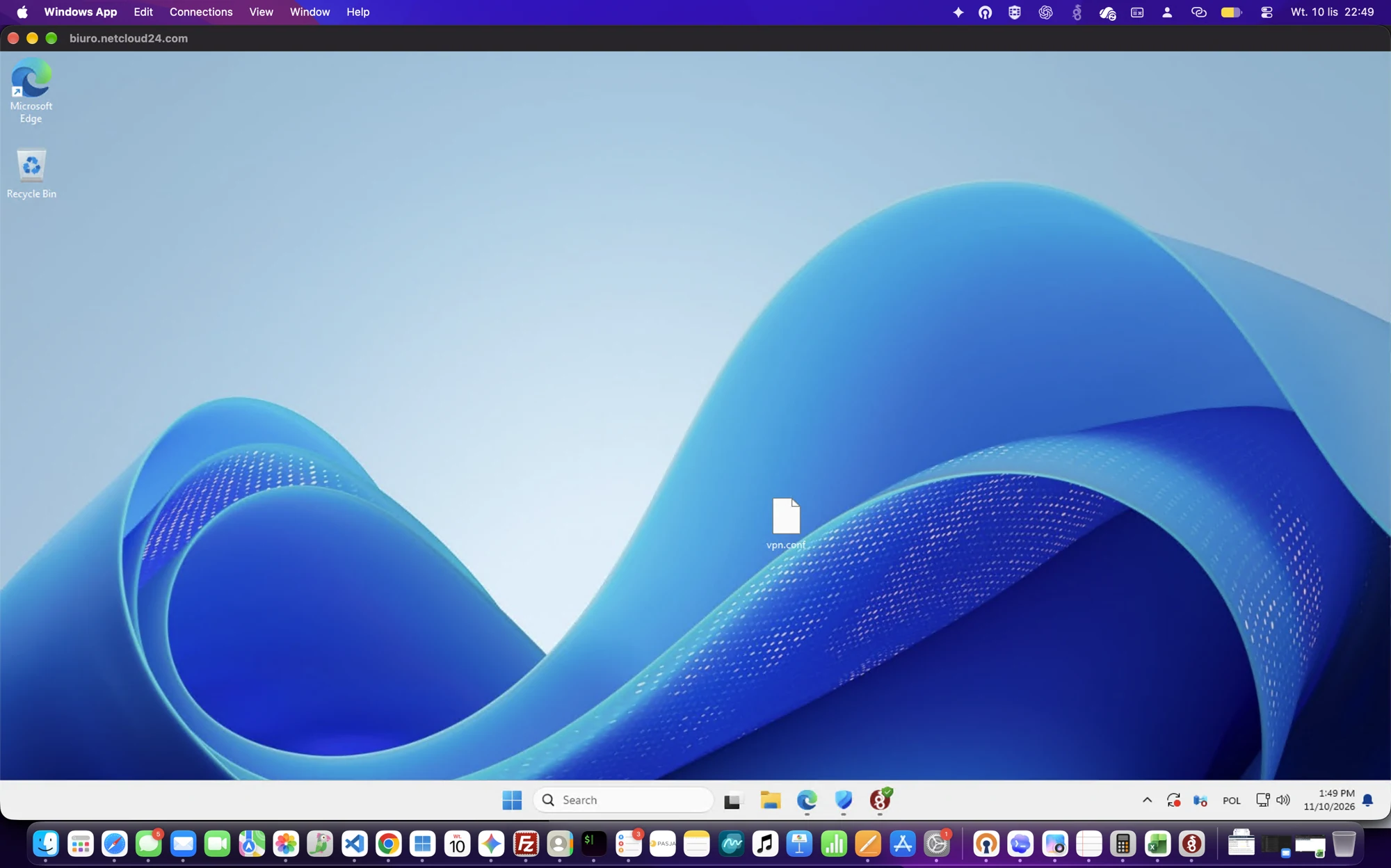
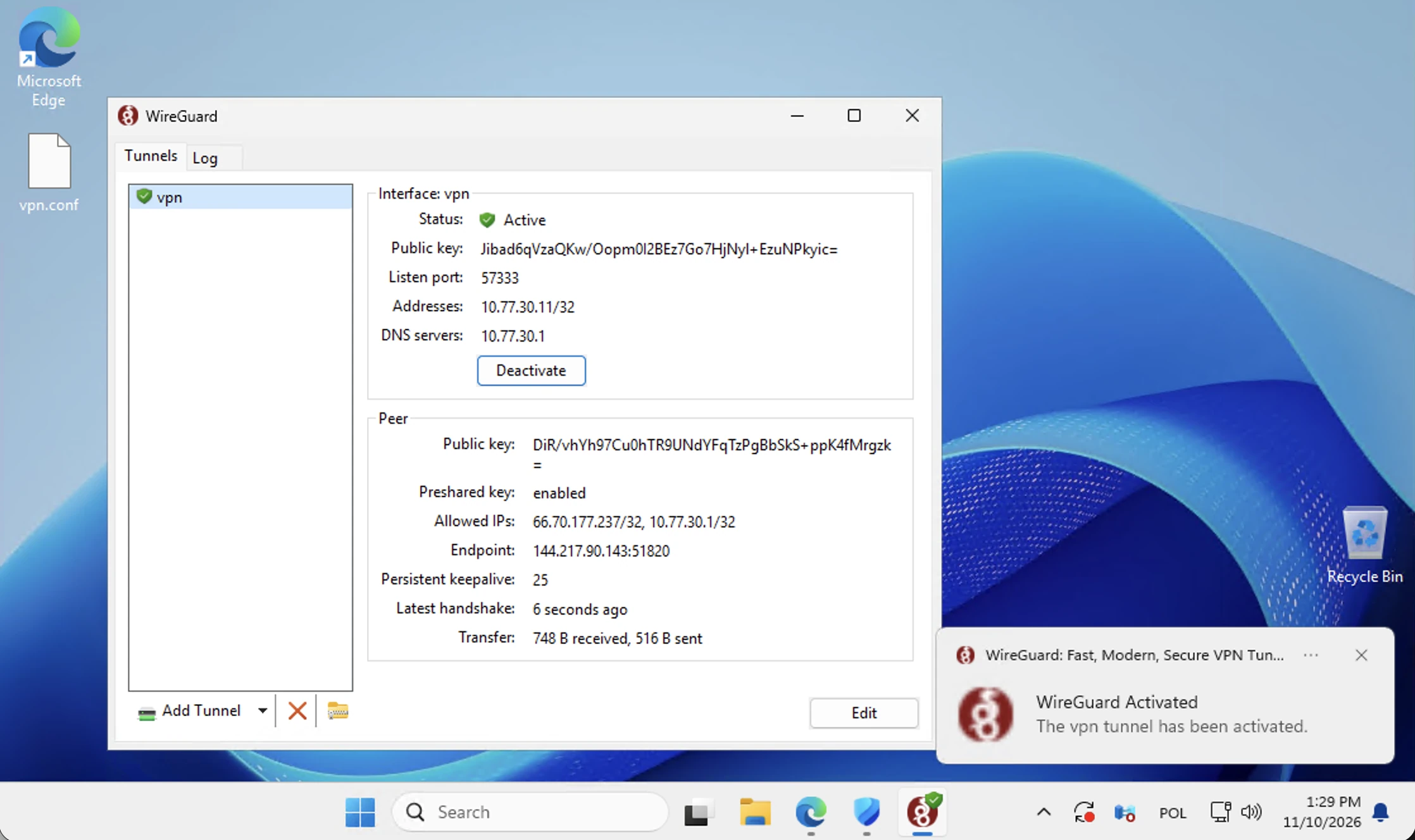
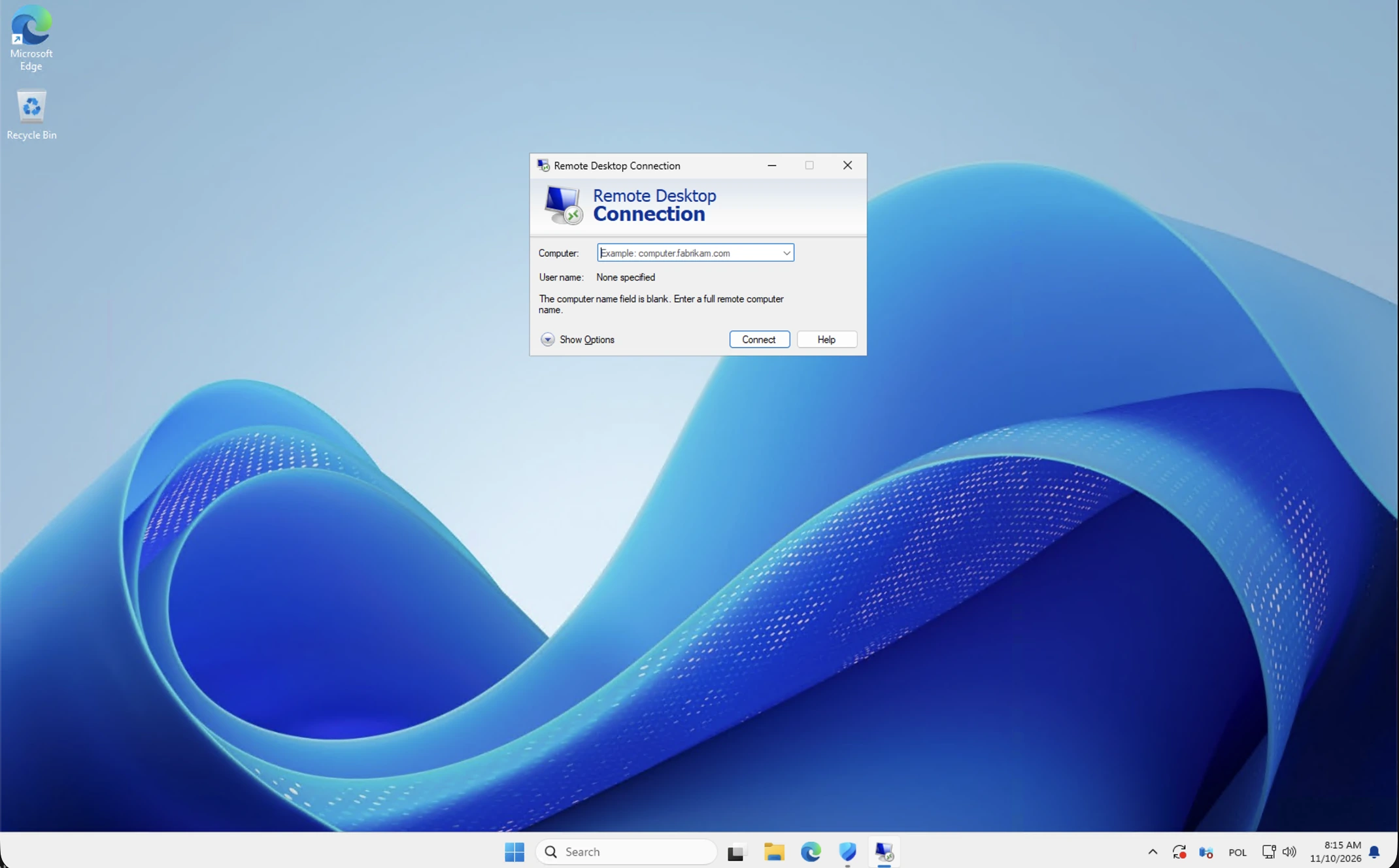
Give your staff a Windows server they can sign in to and use. Netcloud24 supplies the VPS, Windows Server and your plan’s RDS User CAL licences, then prepares the accounts, secures the connection and configures scheduled backups.
User access, server security and backup configuration
Keep your Windows applications and company files in one hosted environment. We set up Remote Desktop, individual sign-ins and access permissions for the people who need them.
Start with your staff numbers and software requirements. We will match the VPS resources and RDS User CAL allowance to your business.
Compare Windows VPS plans for your business applications. Each includes Windows Server. VPS-2 to VPS-4 also come with 5 RDS User CALs, a dedicated VPN and user account configuration.
Pay yearly. Save on every VPS plan.
See your annual saving below, compared with 12 monthly payments for the same plan.
12 months paid upfront
2027
VPS-1
Save 31.2% with annual billing
£109.00 with monthly billing
£74.98
GBP / month when paid yearly £899.80 billed upfront for 12 months
Full user setup for VPS-2, VPS-3 and VPS-4. We fully configure user accounts, Remote Desktop access and permissions, so your team can sign in and start working.
The displayed monthly prices include the annual plan discount and require 12 months paid upfront. Savings are compared with 12 monthly payments for the same VPS plan. Monthly and 6-month billing are also available in the configurator. Only Windows-compatible locations with confirmed availability can be ordered. Additional storage and optional backups are priced in the configurator.
The hosting platform supports your Windows applications and staff sessions with dedicated VPS resources, NVMe storage and controlled access to the server.
Fast NVMe Storage
NVMe storage provides the working space for your Windows programs, shared documents and database files. The disk allocation can be selected alongside CPU and memory to match the software your staff use each day.
Clustered Virtualization Platform
The VPS sits on a clustered virtualisation platform rather than depending on a single standalone machine. This supports infrastructure maintenance and recovery arrangements while providing the Windows environment used by your business.
Intel Xeon Resources
Processing power and RAM need to suit the applications running on your server as well as staff access. We help you compare the available allocations against your software requirements and expected day-to-day workload.
Controlled Remote Access
Remote access is prepared for the staff, offices and devices that need to connect. We configure the VPN, firewall rules and individual Windows accounts so access can be controlled for your business.
Clear User Permissions
We set up staff accounts and Windows groups to make permissions manageable. Access to Remote Desktop, shared folders and administrative tools can then follow each person’s role instead of relying on one shared login.
Managed Technical Support
Support is available for your VPS environment, Remote Desktop access and the network configuration supplied with the service. We can also review resource changes when your applications or the needs of your staff develop.
Your Windows server, prepared by Netcloud24
Our service brings the server, Windows licensing, staff access and backup configuration together in a prepared environment for your business.
Managed Initial Configuration
Netcloud24 handles the initial Windows Server preparation and Remote Desktop configuration. We create the required staff accounts and permissions so the environment reflects how your business needs to use its applications and files.
Windows Server and RDS Licensing
The Managed plan includes Windows Server and its listed RDS User CAL allowance. We prepare the Remote Desktop environment and user access as part of setting up the server for your staff and business applications.
Daily Backups
Your Managed server is backed up every day, with backups retained for 14 days. When recovery is needed, our support team helps identify an appropriate restore point and arrange the required server or file restore.
Network and VPN Setup
The network setup covers the agreed VPN connections and firewall permissions for your staff and administrators. We prepare those routes alongside the Windows accounts so people can connect from the locations your business uses.
Application Preparation
Your applications determine which Windows components, permissions and database services need to be prepared. We review the software you intend to run and configure the server environment to support its documented Windows Server requirements.
Room to Grow
The resources needed at setup may change as your business grows. We can review CPU, RAM, storage and staff access with you, then recommend a configuration that suits the applications and user requirements you now have.
Managed setup included
Windows Server and RDS User CALs, configured for your staff
We set up the Windows environment before handing over access to your staff. Windows Server, Remote Desktop Services, account permissions, VPN access and scheduled backups are prepared around your requirements, so you receive a server with the agreed user and access configuration already in place.
Your business software needs to be matched to a supported Windows Server version and an appropriate server specification. We review its memory, storage and database requirements with you before setup. Where Microsoft SQL Server is needed, its edition and licensing can be planned alongside the Windows environment, giving your staff a consistent server configuration for the applications they use.
Windows Server Standard
Windows Server licensing is part of the server service. Choose a supported edition from Windows Server 2019, 2022 or 2025 Standard, taking account of your application requirements; we then configure Windows for the work your staff need to do.
RDS User CALs
Managed X1 includes 1 RDS User CAL, Managed X2 includes 5, and Managed X3 and X4 each include 10. Add up to 50 more users during checkout for 47.97 GBP per user per month.
Accounts and Permissions
Individual sign-ins make staff access easier to manage. We configure the Windows accounts, group membership and folder permissions needed for your agreed setup, including which users can connect through Remote Desktop and which administrative functions they can use.
Microsoft SQL Server
For software that relies on SQL Server, the database is considered alongside CPU, memory and storage requirements. We discuss the suitable edition and licensing with you, then include the agreed database configuration in planning the Windows environment.
What the managed setup covers
The initial setup brings together Windows configuration, staff sign-ins, connection permissions and backups so your server is prepared around the way the business needs to work.
We agree the preparation work and expected delivery schedule after reviewing your software, staff accounts and existing environment, including any files or services that need to be considered during setup.
Active Directory
Staff accounts and group membership are set up for your business. We assign Remote Desktop and folder permissions so each person has the access required for their work.
Firewall and VPN
We prepare VPN connectivity and the relevant firewall permissions for your offices, remote staff and administrators, giving each agreed connection a defined route into the Windows environment.
Backup Policy
Daily server backups are configured as part of the Managed setup, with restore points kept for 14 days. Contact support when you need help arranging recovery from a backup.
Application Preparation
The server is prepared with the Windows components and access permissions needed by your software. We agree application installation and any migration work when planning the environment with you.
Choosing the right plan
Count the staff who need access, then list the Windows applications, databases and shared files they will work with. We use those requirements to review CPU, RAM and disk capacity alongside the RDS User CAL allowance, so the chosen plan fits the environment your business actually needs.
You do not need to choose the specification on your own. Tell us about the applications and staff access you require, and we will help compare suitable Windows VPS resources and RDS User CAL allowances.
Bring your business software into one Windows environment
Give your staff one hosted Windows environment for their business programs, company documents and shared working files.
Accounting and Bookkeeping
Staff can use the same compatible accounting programs and business files within a shared Windows server environment. Remote Desktop sign-ins and permissions are configured to support the people who need access to that work.
Remote and Hybrid Teams
Bring office-based and remote staff into the Windows environment through their own Remote Desktop accounts. We prepare the connection settings and user permissions so they can reach the applications and files their work requires.
ERP and Line-of-Business Software
ERP and line-of-business software need a server specification that matches their workload. We help review the application requirements, databases and staff access, then prepare the Windows environment and permissions for the agreed setup.
A Windows VPS service built around your business
Our Windows VPS service combines the hosted server with Windows licensing, RDS User CAL options and staff access configuration. We prepare the accounts, secure connection routes and scheduled backups around the applications and working arrangements your business uses.
01
Business applications in one place
Company applications and files can be organised in one Windows server environment, with access set up for the staff who need them. We review the software and any SQL Server requirements as part of preparing that workspace.
02
Remote Desktop for your staff
Each person uses their own Windows sign-in to reach the server’s applications and shared folders. The Remote Desktop connection and agreed VPN settings are prepared by Netcloud24 as part of staff access setup.
03
Resources for your applications
The VPS allocation needs to support staff sessions as well as your software and files. We help compare processing, memory and disk requirements, then review the resources again when the way your business uses the server changes.
04
Controlled access
Staff access is prepared through the agreed VPN and firewall configuration, together with Windows account permissions. Your offices and remote users receive the required connection details for reaching the applications hosted on the server.
05
Managed Windows Server setup
Our setup work covers Windows Server, staff accounts and the permissions needed for your business applications. We configure Remote Desktop and the agreed access routes so the server is prepared for the people who will use it.
06
Daily backups
The backup schedule is part of preparing your server. VPS 2027 includes Premium daily system-disk backups with 7-day retention. Snapshots are free on all plans. Managed services instead provide daily backups with 14-day retention; our support team can assist with recovery.
Technical support
Our technical team supports your Windows server access and the connection settings supplied with the service. We can help with staff sign-ins and review the setup when your requirements develop.
A shared working environment
Applications and working files stay in the hosted environment while employees connect through their own Windows accounts. We prepare the access permissions for your staff roles, so the shared workspace is organised around how the business uses its software and data.
Practical help with your hosted Windows environment
Our guides walk staff through the connection details supplied with their server, including VPN access and Remote Desktop sign-ins. Use them alongside the Windows environment and individual accounts prepared by Netcloud24, with instructions for connecting from a Windows PC or Mac.
How we prepare the server, configure access for your staff and put the backup arrangements in place.
The service includes the Windows Server operating system licence and the RDS User CAL allowance stated for your selected plan. We prepare Remote Desktop Services and staff access within the server setup.
Yes. Netcloud24 creates the Windows sign-ins and user groups required for your business, then configures Remote Desktop and shared-folder permissions. Each member of staff receives an individual account with the agreed access.
We prepare the VPN connection and Remote Desktop settings for your agreed working arrangements. Staff receive their own sign-in details and use those accounts to reach the server’s applications and shared files.
We set up the agreed VPN and firewall access and assign Windows permissions by user or group. Remote connections, shared folders and administrative access are configured around the people and offices that need to use the environment.
Daily backups are configured for the chosen service. VPS 2027 includes Premium daily system-disk backups with 7-day retention. Snapshots are free on all plans. Managed services retain daily backups for 14 days; support assists when recovery is needed.
We prepare the Windows environment for compatible business programs, including accounting, ERP, CRM and database workloads. Your application requirements guide the server resources, Windows components and access permissions needed for staff to work with that software.
Managed Windows VPS RDS plans
Review the Managed server specifications alongside the supplied RDS User CALs, setup service and backup arrangements, then discuss the option that best suits your staff and applications.