Getting Started
Practical instructions for accessing and using your managed Windows VPS.
Articles
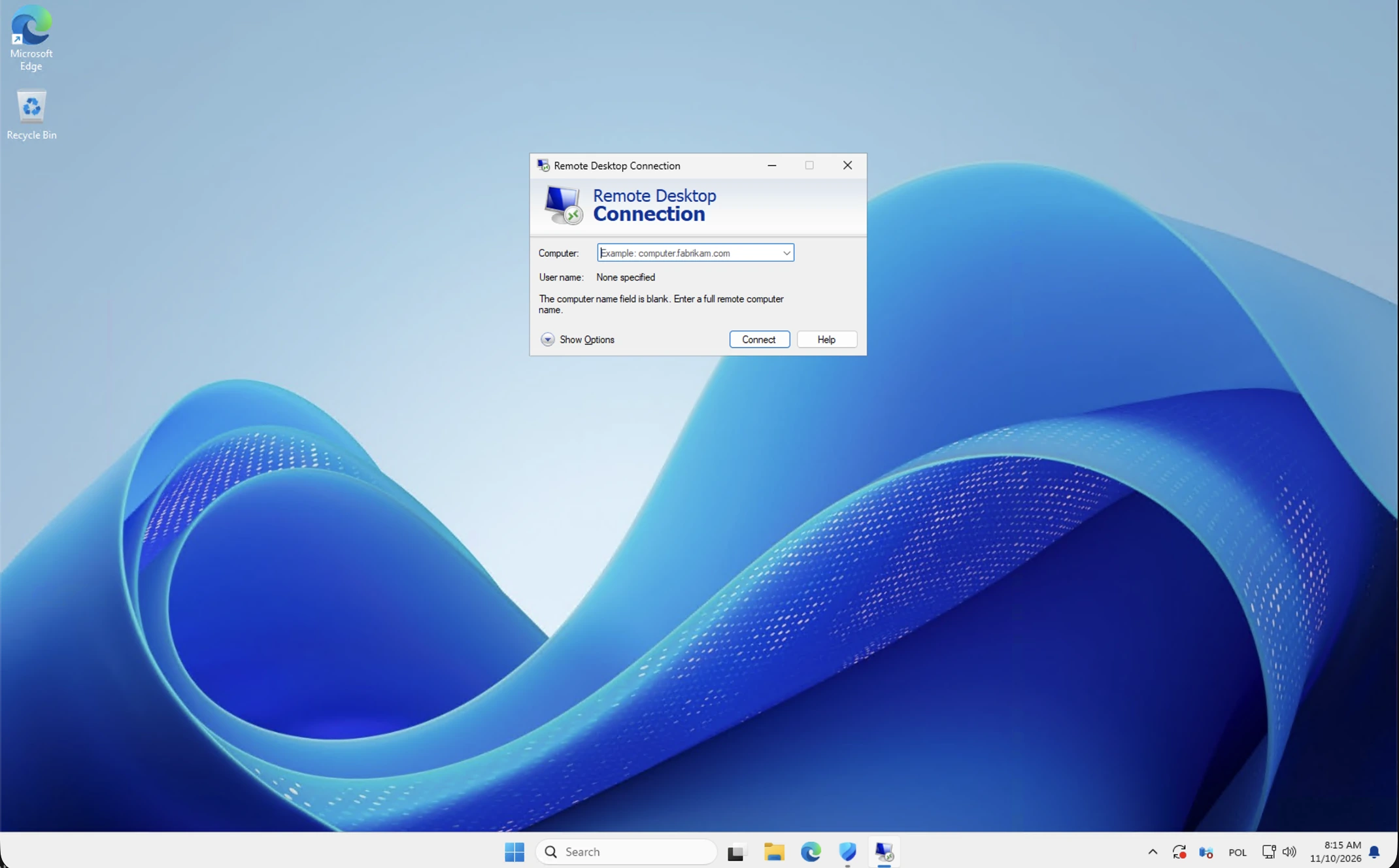 Your first Windows VPS sign-in: a visual Remote Desktop walkthrough
Open your prepared Windows workspace using the supplied Remote Desktop destination and individual account. Follow the illustrated prompts, verify unexpected identity warnings and…
 NetCloud24 Free Hosting: 5 GB, DirectAdmin, SSH & Node.js
NetCloud24 H1 gives you 5 GB of free web hosting storage, your own domain, DirectAdmin, SSH access and Node.js. There are no compulsory banners or advertisements on your website.…
 Remote Desktop access to a hosted Windows server: a user’s guide
Connect from Windows or macOS to the environment prepared for your team. Understand account details, VPN and gateway requirements, workspace checks, common errors and safe session…
 From order to handover: what a Managed Windows VPS includes
Understand how Netcloud24 prepares a Managed Windows environment, what deployment information is needed and how licensing, application responsibilities, backup scope and practical…
 Which Windows Server release should host your business software?
Choose Windows Server around the complete business application, support horizon and tested workflow. Understand the release options, dependencies and migration decisions within a…
