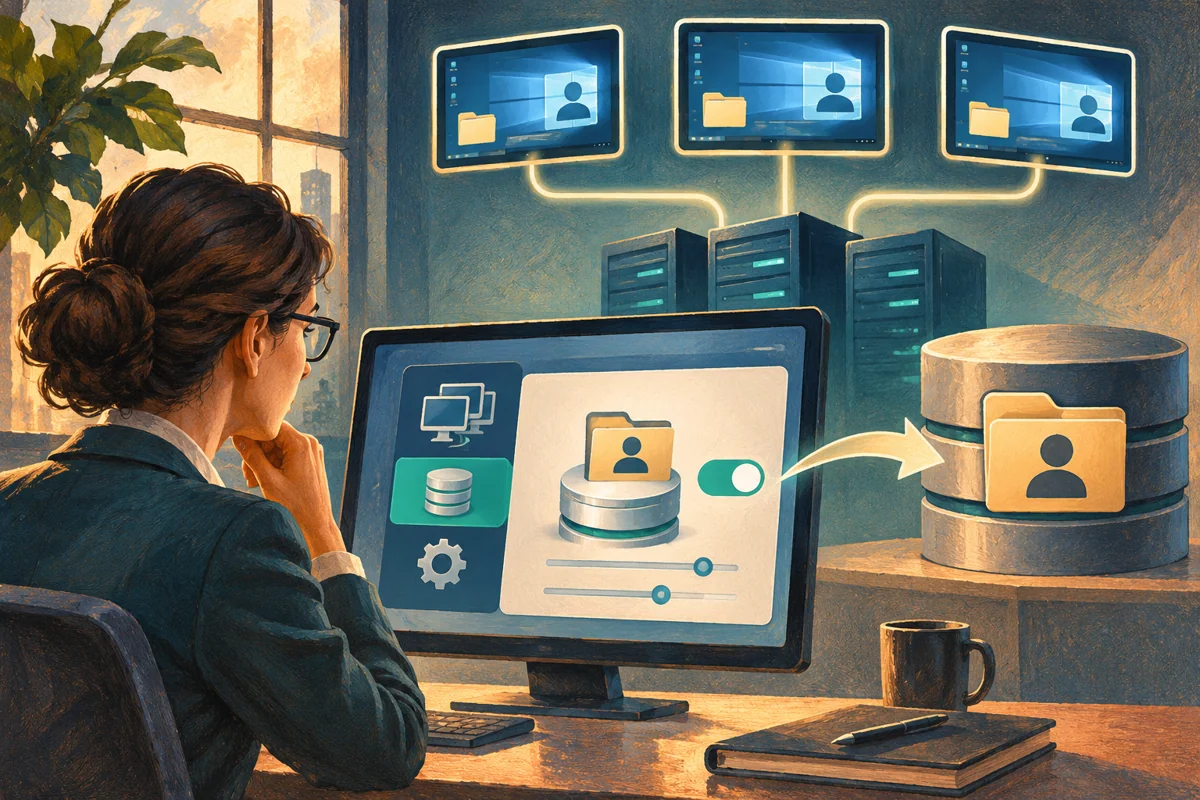
A User Profile Disk follows a user within one RDS collection by attaching a centrally stored virtual disk to the session host. It can preserve settings across hosts, but it also introduces shared-storage, attachment and recovery dependencies. A profile that works on one host is not enough evidence that the collection is ready.
Netcloud24 prepares the managed collection and storage arrangement. Employees sign in with their assigned accounts; they should not mount, rename or repair profile disks themselves. Report a temporary profile or missing settings promptly so the support team can preserve the relevant state.
Confirm the collection boundary
UPD is a per-user, per-collection arrangement, not a universal profile that automatically follows the account across every server and service. Separate collections can have different profile disks and settings. Do not promise seamless movement beyond the supported scope.
Review application compatibility, profile size, simultaneous-session expectations and existing profile technology. Another profile-container product is not automatically interchangeable with UPD. Avoid enabling overlapping mechanisms without a supported migration design.
Identify where user documents belong. A profile disk can contain user data, but company shared records should still use the agreed storage locations. Profile portability does not replace a shared-data access model.
Prepare the central storage as a service
Use a supported SMB location reachable by every intended Session Host. Assess capacity, latency, availability, backup and recovery, not merely whether a share can be opened from the administrator's desktop.
The collection's servers need the documented control over the UPD storage. Preserve the intended share and filesystem ACLs without granting all users broad access to one another's disk files. A profile disk contains potentially confidential user information.
Verify the host computer identities and their permissions on the file server. A user being able to browse the UNC path does not prove the host can create and attach the required disk through the collection workflow.
Account for storage failure as a collection-wide risk. If the share becomes unavailable, multiple hosts and users can be affected. Monitoring should include free space, latency, SMB health and backup results.
Plan size and contents before enabling
Choose maximum profile-disk size from application behaviour and growth expectations. A small limit can surface later as a user-specific failure despite free space remaining on the backing share. Include a supported expansion or remediation procedure.
Review which folders and settings are included or excluded. Application caches can consume substantial space, but excluding a directory can lose required state. Use vendor and platform guidance rather than removing folders simply because their names look temporary.
Prepare the transition from existing profiles. Enabling UPD is not a universal supported import of every historic local profile. Decide how required user state will be migrated, tested and recovered before a live sign-in creates new profile data.
Configure through the RDS collection
In the deployment's supported management interface, open the intended collection properties and User Profile Disks configuration. Enable the feature, specify the reviewed UNC location and maximum size, and review the inclusion choices.
Confirm the collection name and broker before saving. Applying the change to a similarly named test collection will not configure production, while selecting the wrong production collection can affect unrelated users.
An operator can inspect the intended collection through its management cmdlet:
Get-RDSessionCollectionConfiguration `
 -CollectionName 'BusinessWorkspace' `
 -ConnectionBroker 'broker01.corp.example' -UserProfileDisk
The names are illustrative and require a suitable broker-managed deployment. Check actual returned settings rather than assuming a successful configuration dialog means every host has usable access.
Pilot with a new approved user session
Use a dedicated test account and a controlled sign-in. Confirm the profile disk is created in the intended store, the user receives a normal profile and ordinary application settings can be saved.
Sign out properly, then reconnect through another host in the same collection where the design supports it. Verify the expected settings persist and the disk is attached to the current session rather than left in an inconsistent previous state.
Use a harmless document or application preference as the marker. Do not prove portability by placing real business data in an untested profile. Check profile and application events with timestamps during each phase.
Respect attachment and session state
A profile disk in use is not a file to open from another machine for inspection. Simultaneous attachment or forced manipulation can conflict with the active session and risk corruption. Coordinate the user and host state before any repair or offline access.
Disconnected sessions can retain profile resources until their configured lifecycle ends. Investigate the actual session owner and attachment before treating a file lock as stale. A brief network interruption does not justify forcing a detach.
If a user receives a temporary profile, preserve anything newly created there through the support procedure. Logging off repeatedly without checking the state can lose work while obscuring the first failure.
Diagnose by storage, permissions and profile evidence
For widespread failures, check the central share, storage capacity, network path and host permissions. For one user, check their disk's size, attachment state and profile events. Compare a working test user only after controlling for host and collection.
Investigate naming or identity mismatches through the supported collection and user identifiers. Do not rename disks experimentally to make them look like another account. File ownership and the identity carried by the profile matter more than a friendly label.
If the issue follows one host, compare its SMB access and policy with peers. If it follows the user across hosts, focus on the profile and application state. Keep the exact sign-in time and affected host in the case record.
Back up and recover consistently
Use a supported backup method appropriate to mounted profile disks and the underlying storage. A raw file copy of an actively changing virtual disk is not automatically a consistent recovery point. Test restoration in an isolated supported workflow.
Before changing or disabling UPD, plan where users will receive their required state afterward. Turning off the feature does not automatically merge the disk into a local profile or return all earlier settings.
Retain the previous store until acceptance and retention decisions are complete, with access controlled. Microsoft describes UPD storage and collection scope. Related operations include session time limits and planned host maintenance.
 How to Install the Remote Desktop Session Host Role
Applies to: Windows Server 2019, 2022 and 2025.RD Session Host runs multi-user desktop…
 How to Install and Activate an RDS Licensing Server
Applies to: Windows Server 2019, 2022 and 2025.RD Licensing stores and issues eligible…
 How to Configure RDS Licensing Mode and License Server with Group Policy
Applies to: Windows Server 2019, 2022 and 2025.Session Hosts need…
 How to Create an RDS Session Collection with PowerShell
Applies to: Windows Server 2019, 2022 and 2025.A session collection groups Session…
 How to Publish a Windows Application as RemoteApp
Applies to: Windows Server 2019, 2022 and 2025.RemoteApp presents an approved program…
